Alight Motion Mod APK Latest Version 5.0.273.1028425 – Premium Unlocked Claims 2026
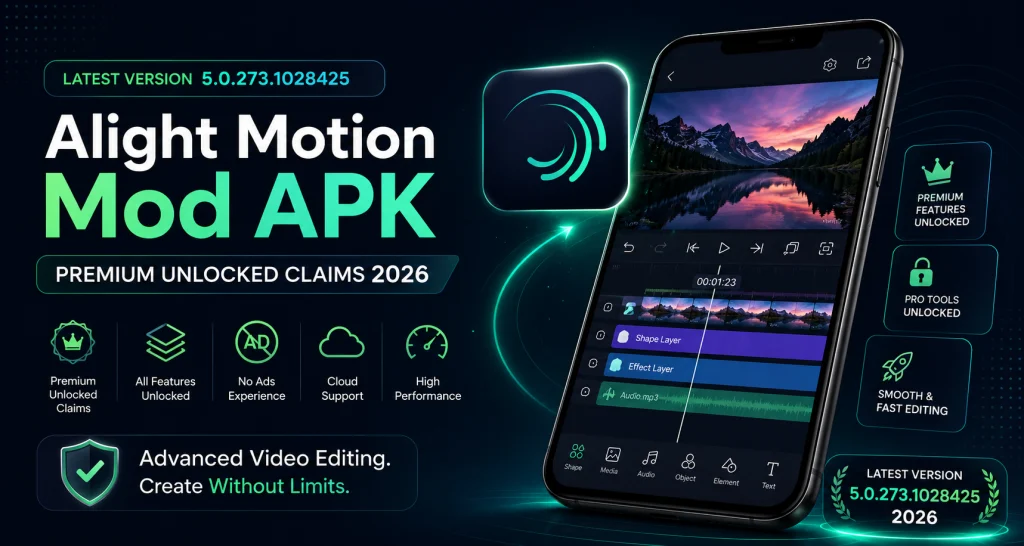
Accuracy note: 5.0.273.1028425 is the latest Android package version I could independently corroborate from a reputable APK archive as of August 28, 2026. Google Play itself does not expose the current Android version number in its public listing. Competing “mod APK” pages currently claim several conflicting versions, including 5.0.273, 5.0.277, and 5.0.281, so no specific modified build is presented here as officially verified.
| App detail | Verified information |
|---|---|
| App Name | Alight Motion |
| Current Official Android Version | Not exposed in the current Google Play web listing |
| Latest Independently Observed Android Package | 5.0.273.1028425, dated June 11, 2026 |
| Current iOS Version | 6.2.58, released August 20, 2026 |
| Third-Party/Mod Version | Not independently verified; current websites make conflicting claims |
| File Size | Android varies by APK/bundle variant; iOS App Store currently lists 199 MB |
| Google Play Updated | May 19, 2026 |
| Category | Video Players & Editors on Google Play; Photo & Video on Apple |
| Android Requirement | Android 6.0+ minimum; Android 7.0+ recommended |
| iOS Requirement | iOS/iPadOS 14.4+ |
| Official Platforms | Android, iPhone and iPad; Chromebook has partial Android-app support |
| License | Free basic version with ads/in-app purchases; paid memberships available |
| Primary Features | Keyframes, multi-layer editing, vector/bitmap graphics, effects, motion blur, chroma key, custom fonts, MP4/GIF/PNG export |
Feature highlights: Keyframe animation • Custom fonts • Multi-layer editing • Watermark removal through an official paid membership
Alight Motion is a mobile motion graphics, animation and video editing application built around layers, keyframes, effects and compositing. The official free version can be downloaded from Google Play or Apple’s App Store. It includes basic functionality but places an Alight Motion watermark on videos; Alight Motion says a paid membership removes that watermark and provides access to premium effects and features.
When people search for Alight Mod APK, Alight Pro APK or Alight Motion Premium APK, they are often looking for unofficial Android packages that claim to bypass the official membership, remove the watermark or unlock paid features. Those packages are not the same as the official application. Their modifications, file sizes, security, compatibility and actual features can vary from one file to another.
Alight Motion Pro APK Information
| Information | Current status |
|---|---|
| Official App | Alight Motion |
| Official Android Version | Not publicly displayed by Google Play in the listing checked |
| Observed Android Package | 5.0.273.1028425 |
| Official iOS Version | 6.2.58 |
| Third-Party Version | No single version independently verified |
| Android File Size | Varies by package variant; do not rely on a universal mod size |
| iOS Size | 199 MB |
| Official Website | Alight Motion |
| Category | Motion design/video editing |
| Android Requirement | 6.0 minimum; 7.0+ recommended |
| RAM | 1.5 GB minimum; more than 2 GB recommended |
| iOS Requirement | iOS 14.4+ |
| Official Mobile Platforms | Android, iPhone, iPad |
| Subscription | Optional memberships; prices depend on store, country and offer |
| Last Verified | August 28, 2026 |
Last fact-checked: August 28, 2026.
The official minimum-requirement page specifies Android 6.0 or newer, recommends Android 7.0 or newer, and requires at least 1.5 GB RAM while recommending more than 2 GB for better performance. iOS 14.4 or later is supported.
What is Alight Motion APK?
Alight APK is the Android package used to install Alight Motion on compatible Android devices. The official application is a motion-design and video-editing tool for building animations, social videos, visual effects, titles and layered compositions using keyframes, graphics, video and audio.
APK means Android Package Kit. It is an Android format, not an iPhone format. On supported Android phones, the safest normal installation route is Google Play, where Android handles installation, updates and app-signature checks.
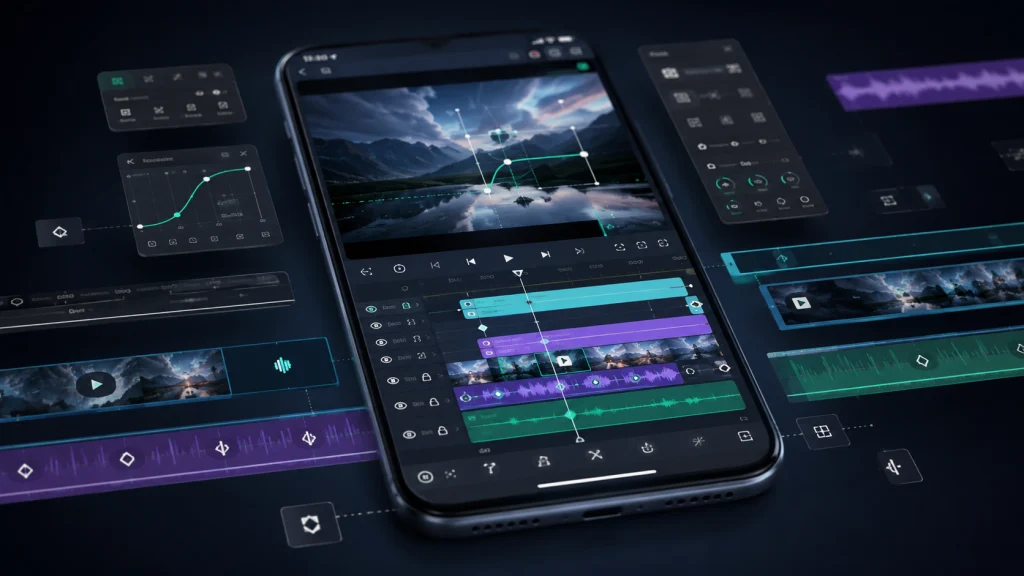
Alight Motion itself supports multiple video, audio and graphic layers, vector and bitmap graphics, keyframes, animation easing, masking, color adjustments, motion blur, custom fonts and multiple export formats.
An APK downloaded elsewhere may still be an untouched copy of an Android application, or it may have been modified. A mod APK is a third-party build whose code or resources have been altered after the official release. That distinction matters because Alight Motion only promises support for authentic copies obtained through its recognized stores.
Overview of Alight Motion Mod APK
“Alight Mod APK” normally describes an unofficial Android build claiming to alter restrictions found in the free application. Search results commonly advertise watermark removal, paid effects, fewer ads or premium access without a membership.
There are actually three different products or installation states users frequently mix together:
| Version type | What it means |
|---|---|
| Official Free | Authentic store version using free/basic functionality; exported videos include a watermark |
| Official Paid Membership | Authentic version with an active membership; watermark is removed and premium effects/features become available |
| Third-Party Modified APK | Android package modified outside official distribution; exact changes depend on whoever created the file |
Current ranking pages themselves demonstrate why mod claims need caution. Different sites identify 5.0.273, 5.0.277 or 5.0.281 as the “latest” mod, and report different file sizes and requirements. That inconsistency makes it impossible to treat “Alight Motion Mod APK 2026” as one standardized build.
Unofficial packages can also introduce practical issues beyond malware: changed signatures may interfere with updates, projects may behave differently between versions, account-dependent functionality may stop working, and official support may decline to troubleshoot a modified installation. Alight Motion specifically warns that unofficial versions can contain modifications that cause the app to malfunction and could put projects or data at risk.
Is Alight Motion Mod APK Safe?
The safety of an Alight Motion Mod APK depends on where the file comes from and what changes have been made to it. Modified APKs are not distributed or verified by Alight Motion, so their code, permissions and security cannot be guaranteed.
A third-party build may contain altered app files, changed signatures or additional code that is not present in the official version. This can lead to installation problems, failed updates, crashes, project compatibility issues or possible privacy and security risks.
Before installing any unofficial APK, users should check the source carefully, review the permissions requested by the app and avoid files from unknown or suspicious websites. Important Alight Motion projects should also be backed up before replacing or reinstalling the application.
For users who prioritize security, reliable updates and official support, the version available through Google Play or Apple’s App Store remains the safer choice.

Premium Features of Alight Motion Mod APK
The following are real Motion capabilities or commonly advertised mod claims. They should not all be interpreted as features that every modified APK successfully unlocks.
Fully Premium Unlocked
“Fully premium unlocked” is terminology used by third-party APK websites, not an official Alight edition name.
Alight officially states that a paid membership removes the watermark and gives access to premium effects and features. Whether a particular modified file successfully reproduces all membership benefits including account-connected functionality cannot be assumed without independent testing.
Keyframe Animation
Keyframes let you define how a property changes over time. Alight officially supports keyframe animation across settings as well as animation easing.
For example, place a logo at the left edge at 0:00 and create a position keyframe. Move the playhead to 0:02, move the logo right, then add another keyframe. You can animate position, scale, rotation, opacity and effect parameters while easing curves determine whether the movement starts slowly, accelerates or settles smoothly.
Export in Multiple Formats
Officially documented exports include MP4 video using H.264 or HEVC, GIF animation, PNG sequences and still images. The app also supports project-package sharing, while XML is available for transferring editable project data rather than functioning as a normal finished-video format.
Alight Motion’s performance guide specifically discusses resolutions above 1080p, including 4K, confirming that high-resolution workflows are possible while warning that they can heavily strain even powerful devices.
Fonts Customization
Custom font support is an official feature. Editors can combine imported or available fonts with titles, captions, stroke, shadow, color and animation to build typography-based motion graphics.
For consistent branding, create reusable title treatments as Elements instead of manually recreating the typography in every project.
Motion Blur
Alight Motion provides velocity-based motion blur. Rather than applying the same blur everywhere, it can visually reinforce the direction and speed of movement, which is useful for fast text entrances, spinning graphics, zooms and whip-style transitions.
Project Autosave
Alight confirms that projects are stored locally inside the app, but the official documentation checked for this article does not specify a guaranteed autosave interval. It would therefore be misleading to promise a particular “autosave” behavior.
More importantly, deleting or reinstalling Alight Motion can permanently remove locally stored projects. Export important work as a Project Package before changing versions or reinstalling.
Background Removal
Alight has verified background-isolation tools, particularly Chroma Key, masks and compositing controls. Chroma Key removes pixels similar to a selected color, making it suitable for green-screen and blue-screen footage.
I found no official documentation confirming a current one-tap AI subject/background remover comparable with dedicated AI cutout tools. For ordinary footage without a clean colored background, masking may therefore require more manual work.
Ad-Free Editing Experience
The official free application contains advertising. The sources reviewed explicitly promise watermark removal and premium-feature access with membership, but they do not clearly guarantee that every advertisement disappears in every subscription configuration.
Third-party pages commonly claim “no ads,” but that must be verified build by build rather than presented as a universal property of every mod APK.
Ready-to-Use Templates
Alight Motion supports reusable Elements, sample projects, imported Project Packages and XML-based project sharing. Elements can contain reusable groups, text and other components and can be imported into future projects.
This is more precise than claiming the application has an unlimited commercial template library.
Spill Cleaner for Clean Edges
Alight provides velocity-based motion blur. Rather than applying the same blur everywhere, it can visually reinforce the direction and speed of movement, which is useful for fast text entrances, spinning graphics, zooms and whip-style transitions.
Visual Effects
Alight Motion offers a large library of effects that can be combined into more complex treatments. Official examples cover blur, glow, distortion, color, procedural effects, masks and compositing tools. Google Play currently describes more than 160 effect building blocks.
The advantage is not simply the number of effects; it is the ability to stack and animate their parameters with keyframes
Smart AI Editing Tools
Be cautious with this claim. Current official Alight Motion sources reviewed for this article do not document a broad “AI editing suite.”
Competitor pages sometimes add AI background removal, automatic editing or similar features to their feature lists without linking to Alight Motion documentation. Until the official product documents such tools, describe Alight Motion primarily as a manual/keyframe-driven motion-design editor rather than an AI-first video editor.
Alight Motion Built-in Features
These are core editing capabilities associated with the official application rather than benefits unique to a mod.
User-Friendly Interface
Alight uses a project-based workflow with a timeline, layers, property controls, effects and keyframes. Basic trimming and layer placement are approachable, but complex motion graphics have a genuine learning curve. Alight Motion provides an official Quick Start Guide covering its Add, Adjust and Animate workflow.
Aspect Ratio Options
Project dimensions can be adapted to the publishing destination. Common examples include:
Resolution affects performance, so choose dimensions appropriate to the final platform instead of automatically creating every project at the highest possible resolution.
Color Adjustment
Official features include color tuning and adjustment. Individual effects can control brightness, contrast, exposure, gamma, temperature and more sophisticated color tuning.
Blending Modes
Blending modes change the mathematical way one layer combines with the pixels beneath it. For example, Screen can make dark areas disappear while retaining lighter highlights, while Multiply generally creates a darker composite.
They are useful for textures, light effects, overlays and compositing.
Vector Graphics
Alight can create and edit vector graphics. Vectors describe shapes mathematically, so they can be scaled without the same pixelation problems associated with enlarging a small bitmap.
This makes them useful for logos, icons, animated shapes and motion-design elements.
Bitmap Support
Photos and other pixel-based images can also be used as layers. Combining bitmap footage with vectors lets an editor place animated text, shapes, illustrations and effects over video or photos in one composition.
Multiple-Layer Support
Multiple layers are central to Alight Motion. A project can contain graphics, video and audio independently, allowing a creator to animate text on one layer while footage, music, overlays and effects run on others.
Green Screen (Chroma Key) Support
Yes. Chroma Key is officially documented. It removes pixels close to a chosen key color and provides threshold, feather, defringe and invert controls. Good lighting and an evenly colored green or blue screen improve the result.
Luma Key for Better Blending
Luma Key removes pixels according to brightness rather than color. That makes it useful for isolating bright effects such as light leaks or dark/bright mattes where chroma keying is unsuitable.
Alight effect guide currently identifies Luma Key as a Members-Only raster effect.
How to Use Alight Motion – Beginner Guide
Alight may look complex at first, but the basic editing workflow is straightforward once you understand projects, layers and keyframes.
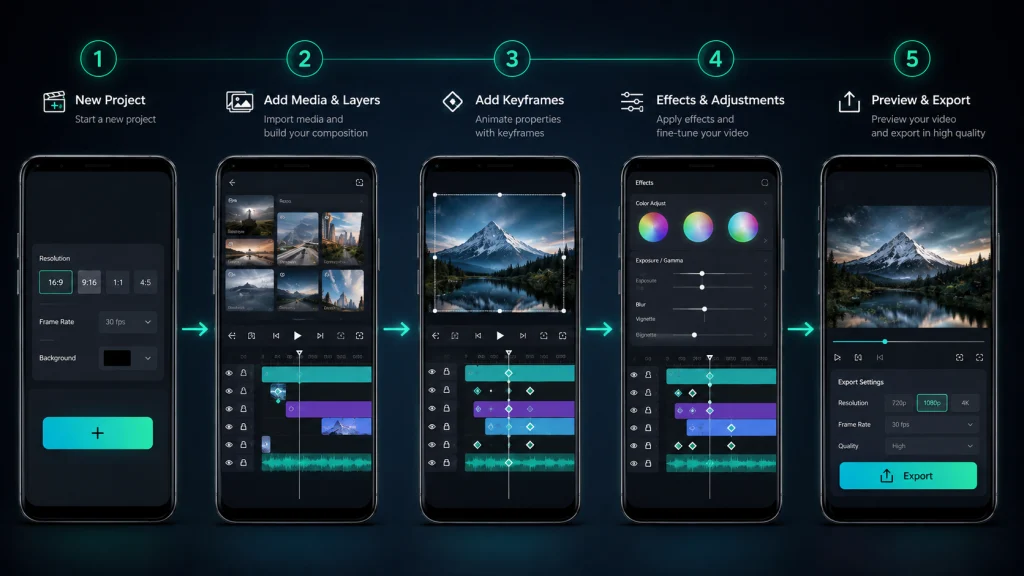
Create a New Project
Open Alight Motion and create a new project. Choose the resolution, frame rate, background and aspect ratio according to where you plan to publish the video. For example, 9:16 works well for Reels and Shorts, while 16:9 is commonly used for landscape videos.
Add Media and Layers
Import your video, photo, audio, text or graphic elements. Each item appears on a separate layer in the timeline, allowing you to edit and animate them independently.
Add Keyframe Animation
Select a layer and choose a property such as position, scale, rotation or opacity. Add the first keyframe, move the playhead forward and change the property to create another keyframe. Alight Motion automatically creates the movement between those points.
Apply Effects and Adjustments
Use the Effects panel to add blur, glow, color adjustments, distortion, chroma key or other visual treatments. Many effect parameters can also be animated with keyframes.
Preview and Export
Preview the project before exporting and check that the timing, layers and effects work correctly. When finished, choose an export format such as MP4, GIF, PNG sequence or still image based on your final use.
Screenshots
Publish an original screenshot gallery from a legally obtained official version or from a third-party build you are actually authorized to demonstrate.
Recommended screenshots: project/home screen, editing timeline, keyframes, Effects panel, layer controls, export interface, color controls, font/text editing, Chroma Key controls and project settings.
Suggested ALT text examples include “Alight keyframe animation timeline on Android,” “Alight Motion chroma key settings for green screen video,” and “Alight Motion MP4 export settings.”
Do not copy screenshots from competing APK websites. If screenshots depict a modified build, label the exact build separately from official-app screenshots.
How to Backup Alight Motion Projects
Alight projects are stored locally on the device, so removing or reinstalling the application can permanently delete projects that have not been backed up.
The safest way to preserve an important project is to export it as a Project Package before updating, reinstalling or changing the app version.
To create a backup:
- Open the Alight Motion project list.
- Select the project you want to preserve.
- Use the available project sharing or export option.
- Export the project as a Project Package.
- Save the exported package somewhere outside the app, such as device storage or another secure backup location.
If you use reusable Elements, presets or other important project assets, back those up as well before reinstalling the application.
A finished MP4 video is not a replacement for a project backup because it does not preserve editable layers, keyframes and project settings.

Requirements of Alight Motion
| Requirement | Verified guidance |
|---|---|
| Minimum Android | Android 6.0 |
| Recommended Android | Android 7.0 or newer |
| Minimum RAM | 1.5 GB |
| Recommended RAM | More than 2 GB |
| Storage | No universal official minimum found; projects, media and exports require additional free space |
| Minimum iOS/iPadOS | 14.4 |
| Android Tablets | Partially supported; interface is not specifically tablet-designed |
| Chromebook | Partial support on models capable of running Android apps |
| Supported chipsets | Snapdragon, Exynos, MediaTek, Kirin, Tegra and Intel Atom listed |
| Windows | No officially supported native Windows version |
| macOS | Official Help Center says unsupported; Apple currently exposes a Mac App Store surface, so native desktop support remains unclear |
| Official support | Authentic versions from Google Play/App Store |
Alight Motion’s June 2025 requirements page remains the clearest official compatibility reference.
Installing Alight Motion Mod APK
The official Android installation is straightforward: open Google Play, find Alight Motion and tap Install. Store installation also makes updates and package-signature management easier. Alight Motion itself recommends obtaining the app directly from Google Play or Apple’s App Store.
Sideloading is different. Android may require permission for a browser or file manager to “install unknown apps” because the package is coming from outside Google Play. Before installing any third-party APK, verify who provided the file, check exactly which permissions it requests and understand that a changed application signature can prevent a normal update over the official build.
Back up projects first. Alight says projects are stored locally, and reinstalling the application can permanently delete them. Exporting important projects as Project Packages provides a recovery path.
Official distribution remains the lower-risk option because the developer supports authentic store versions and warns that unofficial modifications can cause malfunctions or project/data loss.
How to Update Alight Motion Without Losing Projects
Before updating Alight , back up important projects because locally stored project data can be lost if the application is removed or reinstalled.
For the official Android version, updating directly through Google Play is normally the simplest option because the store handles the existing app package and update process.
If you are changing between different APK files or moving between an official and modified build, take extra care because different application signatures may prevent one package from installing directly over another.
Before changing versions:
- Export important projects as Project Packages.
- Back up reusable Elements and important assets.
- Check the version currently installed.
- Avoid uninstalling the existing app until your backups are confirmed.
- Install or update the new version only after your projects are safely stored.
- Re-import the Project Packages if the new installation does not retain local projects.
Project compatibility can vary between versions, especially when moving backward to an older build, so keeping a backup is important before any major version change.
Pros & Cons of Alight Motion Mod APK
Pros
Cons
- Third-party security risk
- No guaranteed updates
- Instability
- Compatibility issues
- Project/data risk
- No guaranteed support
- Licensing concerns
- Feature uncertainty
How to Download Alight Mod APK for PC
There is no confirmed native Windows version of Alight Motion. The official requirements page explicitly says Windows is unsupported.
Some users run the Android application inside third-party Android emulators on Windows. That is an emulated Android environment, not an official Alight Motion Windows application, and performance or input behavior can differ from a supported phone.
Chromebooks are a better-documented exception: Alight Motion says Chromebooks that can run Android applications may run the app, although the interface is not specifically optimized for them.
The macOS situation currently contains conflicting official signals. The Help Center still says macOS is unsupported, while Apple’s App Store now exposes Alight under its Mac interface. Because the listing identifies the app primarily as an iPhone/iPad application, it should not be described as a confirmed native Mac desktop editor until Alight Motion updates its compatibility documentation.
How to Install and Download the Alight Motion Pro for iOS
Alight Motion is officially available for iPhone and iPad through Apple’s App Store. As of August 28, 2026, the U.S. listing requires iOS/iPadOS 14.4 or later and lists version 6.2.58.
There is no such thing as an “iOS APK.” APK is an Android package format. On iPhone or iPad, install Alight Motion through the App Store and purchase any desired membership through Apple’s in-app purchase system.
Third-party signing profiles or repackaged iOS applications are outside Alight Motion’s standard distribution and introduce additional trust, certificate and update considerations.
Alight Motion vs Alight Motion MOD APK: Which App Wins?
There is no universal winner because the trade-off is primarily cost versus trust and support.
| Feature | Official Alight Motion | Third-Party Modified Build |
|---|---|---|
| Source | Google Play/App Store | External distributor |
| Price | Free basic tier; optional membership | Commonly offered free |
| Ads | Official free app contains ads | Often claimed to remove ads |
| Watermark | Free exports include watermark; membership removes it | Commonly claimed to remove it |
| Premium features | Legitimately available through membership | May claim to unlock them |
| Updates | Store-managed | Manual/uncertain |
| Security chain | Official distribution | Depends on unknown modifier/source |
| Official support | Yes | Not guaranteed |
| Installation | Standard store install | Android sideloading |
| Android | Officially supported | Depends on modified package |
| iOS | Official App Store app | APK does not apply to iOS |
| PC | No supported native Windows app | Emulator use is unofficial |
| Reliability | Known official build | Depends on modification |
| Data/privacy risk | Published store disclosures | Additional modifier risk |
| Best for | Users prioritizing updates, support and predictable behavior | Users who knowingly accept third-party-package risks |
For important projects, client work or devices containing sensitive data, the official application offers the clearer update, support and distribution path.
Alight Motion Subscription Prices
Alight Motion pricing is not globally uniform. Storefront, currency, promotions, trial eligibility and account-specific offers can change what a user sees.
As checked on August 28, 2026, the U.S. Apple App Store lists, among its current in-app purchases:
Other country App Store pages display different prices and, in some regions, yearly options. Google Play’s public page checked for this article does not expose a universal membership price. Alight Motion therefore recommends checking Profile → My Account → Membership Options for the offers currently available to you.
Pricing checked: August 28, 2026.
What’s New in Alight Motion Mod APK (2026 Update)
Official updates and modified-build releases must be tracked separately.
| Source | Version/update | What can be verified |
|---|---|---|
| Apple App Store | 6.2.58 — August 20, 2026 | Current iOS release; release note describes a maintenance/smoothness update |
| Google Play | Updated May 19, 2026 | Public listing does not display current Android version |
| APKMirror reference package | 5.0.273.1028425 — June 11, 2026 | Android package archived at 137–160 MB depending variant/bundle |
| Mod websites | 5.0.273 / 5.0.277 / 5.0.281 claims | Conflicting; no single third-party build independently verified |
Apple’s version history shows repeated 6.2.x maintenance releases through August 2026.
Do not describe “5.0.281 Premium Unlocked” as an official 2026 Alight Motion release merely because several APK sites use that number. Sites currently disagree about the latest modified package.
Users seeking an Alight Motion old version should also remember that older builds can miss compatibility fixes, and projects should be backed up before switching versions.
Common Issues & Their Fixes (Mod Version)
Some performance problems affect the authentic application too. Others can come from the modification itself, so official troubleshooting should be the baseline.
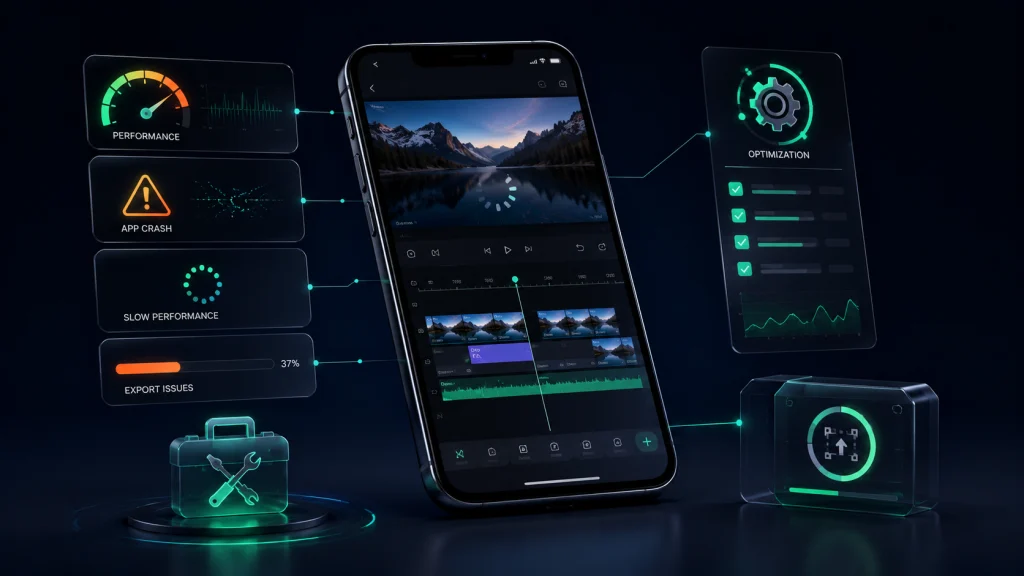
App Crashing Issues
First back up valuable projects. Then restart the device, close resource-heavy background apps and confirm the device satisfies Alight Motion’s RAM and OS requirements.
Complex projects can consume substantial memory. If a crash only appears in a third-party build, reproduce the same workflow in the newest authentic store version before assuming the underlying Alight Motion engine is responsible.
Lag or Slow Performance
Layers, high-resolution media, complex effects and high frame rates all increase processing load.
Alight Motion recommends avoiding unnecessarily high project resolutions, hiding layers temporarily when preview performance drops and matching source-media resolution/frame rate to the actual project. Its guide specifically warns that projects above 1080p including 4K can strain even powerful devices.
A dedicated How to Fix Alight Motion Lag guide would be a useful supporting internal page.
Export or Rendering Errors
Alight recommends updating to the latest official app, rebooting the device, closing video players and screen recorders, and trying export from the project list because it can use fewer resources.
If necessary, lower resolution, frame rate or bitrate/quality. H.264/AVC and H.265/HEVC may also behave differently depending on the device.
Also make sure adequate storage is available before rendering. For repeat export failures, a separate Alight export problems troubleshooting guide can cover project-specific diagnostics.
Alternatives of Alight Motion Mod APK
CapCut: Best for fast short-form content, templates and AI-assisted workflows. Its main advantage is speed and a large range of automated tools; editors seeking highly manual motion-graphics control may prefer a more animation-focused timeline.
KineMaster: Best for conventional mobile multi-track editing. It currently offers multiple layers, keyframes, chroma key, color grading and up to 4K/60 fps export, plus dedicated AI tools. Choose it when you want a traditional mobile NLE combined with newer automation features.
Filmora for Mobile: Best for creators who value beginner-friendly editing plus AI tools. Current mobile documentation covers keyframes, chroma key, AI removal, captions and cloud backup. Its workflow is more template/AI oriented than Alight Motion’s motion-design-first approach.
InShot: Best for straightforward social editing, captions, transitions, music and effects. Its simpler workflow can be faster for everyday Reels or short videos, but complex keyframe-driven motion graphics are not its main focus.
Adobe Premiere mobile: Adobe now offers Premiere on iPhone with a multi-track mobile workflow. It is worth considering for creators already using Adobe tools, although device/platform availability should be checked because Adobe’s current mobile page specifically promotes the iPhone application.
Practical Evaluation of Alight Motion
No genuine hands-on test was performed for this article, so this section does not pretend to describe personal experience.
Based on official documentation, store information and public user feedback, Motion’s strongest differentiator remains its combination of keyframes, reusable layers, vector graphics, compositing and effect animation on mobile. It provides considerably more motion-design control than a simple trim-and-filter editor.
Its trade-off is resource demand. Official performance documentation and public reviews both show that lag, freezes and export difficulties can appear when projects or devices become demanding. The application therefore makes the most sense for users willing to learn layer organization, keyframes, easing and performance-conscious project design rather than expecting one-tap editing.
A genuine testing section could later document device model, Android version, exact build, layer count, effects, preview responsiveness, export settings, export duration, crashes, temperature and battery use.
User Reviews
Reviews checked: August 28, 2026.
Recent Google Play and App Store feedback shows several recurring themes rather than one universal experience.
Users frequently praise Alight Motion’s animation capabilities, keyframe control and ability to create sophisticated edits on a phone. A recent App Store reviewer also highlighted the value of tutorials for learning the interface.
The most repeated complaints involve lag, crashes or freezing on more complex workflows. Google Play feedback also contains complaints about advertising frequency in the free experience, while a July 2026 review describes Android playback/audio frustrations alongside appreciation for the editor itself.
Those comments should be treated as individual reports, not proof that every device will behave the same way. Hardware, project complexity, source media and app version all affect performance.
FAQs
Conclusion
Alight Motion is most useful for creators who need more than basic cutting and filters on a phone. Its multi-layer timeline, keyframe animation, vector and bitmap tools, easing controls, compositing effects, chroma/luma keying, motion blur and custom fonts make it particularly suitable for animated titles, fan edits, lyric videos, short-form motion graphics and visual-effects work.
The official version provides the clearest choice for reliable updates, account support and predictable installation. Modified APKs may advertise no watermark, no ads and premium access without payment, but those claims vary by build and come with additional security, compatibility, support and data risks. Users should decide based on whether avoiding subscription cost outweighs the benefits of an authentic, supported installation.